

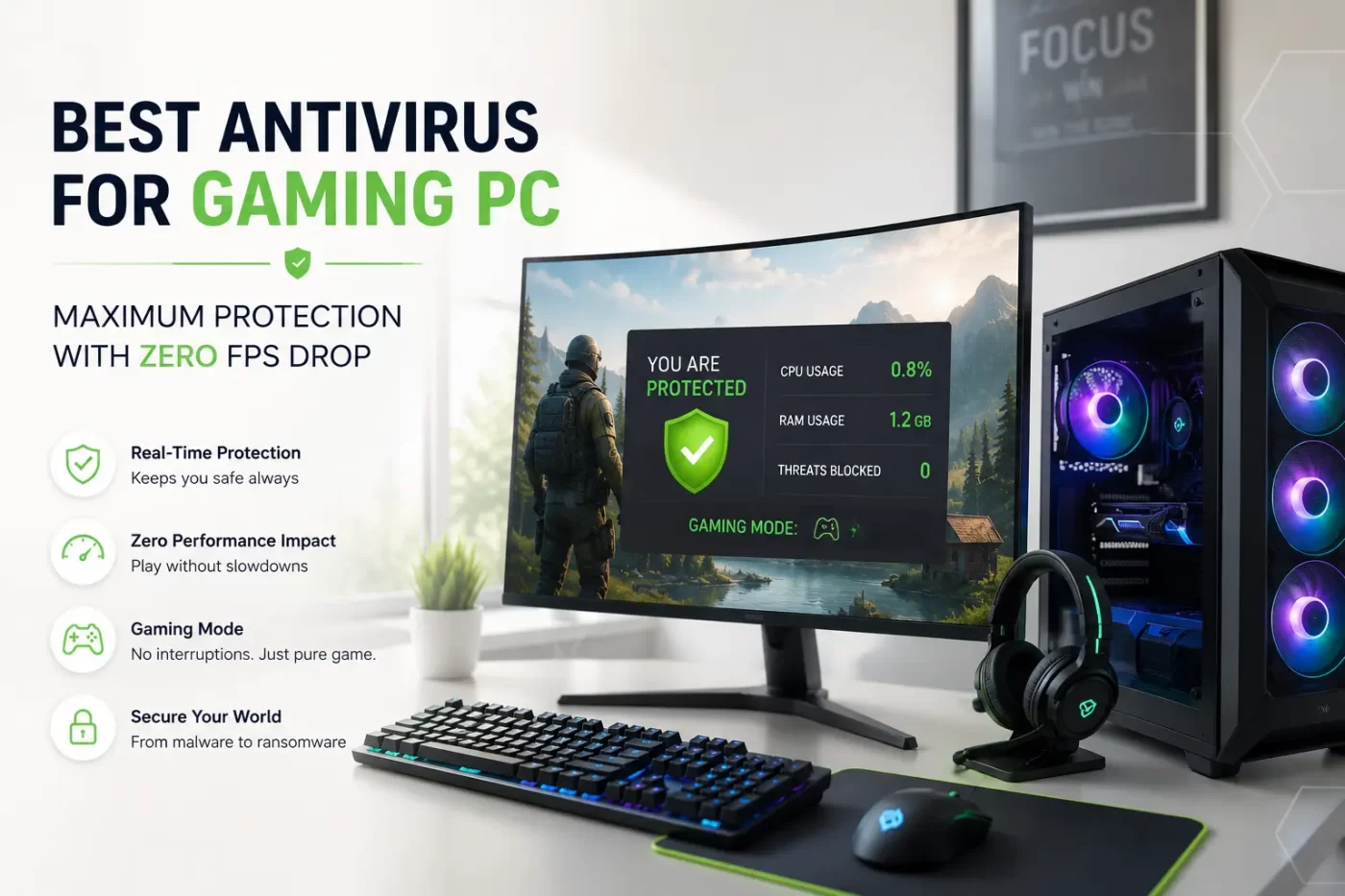

If you build custom rigs, manage computer labs, or game competitively, you know the frustration of sudden frame rate drops. Traditional security suites often start automatic background updates right when you enter a ranked match. Finding the best antivirus for gaming pc means choosing a solution that stops malware, protects against ransomware, and keeps system resource consumption near zero.
The best antivirus for gaming pc is a lightweight security suite that provides real-time malware protection without eating up system memory or processor cycles. It automatically pauses scheduled updates, silences desktop notifications, and redirects hardware resources toward active fullscreen games.
CTA Button: [Download SiyanoAV Free Trial]
- Dedicated gaming security tools reduce background CPU usage to under 1% during intense gameplay sessions.
- Automatic gaming modes halt non-essential updates and eliminate alt-tab notification interruptions instantly.
- Windows Defender uses higher background RAM during file access compared to cloud-optimized security tools.
- Advanced heuristic engines ensure threat detection without triggering false positives on game mods.
- Specialized Indian pricing plans offer high-performance digital security at accessible annual subscription rates.
What Makes the Best Antivirus for Gaming PC in 2026?
Modern eSports, live streaming, and high-resolution AAA titles demand every cycle your CPU and GPU can output. A good antivirus for gaming pc must operate silently in the background.
When evaluating security for gaming laptops and custom desktop builds, check these vital factors to ensure you are getting the best antivirus for gaming pc:
- Resource Footprint: System memory consumption should stay under 100 MB while idling or scanning.
- Auto-Detection: The software must identify when a game launches and switch to silent mode without manual adjustments.
- Ransomware Defense: Protection for custom save files, game assets, and local drives against encrypted attacks.
- Network Shielding: Built-in firewall rules that reduce latency spikes without blocking legitimate multiplayer connections.
Why Traditional Security Software Ruins Gaming Performance
Generic security products are built for basic office work, not real-time graphics rendering. They run scheduled tasks without checking what applications are active.
+-----------------------------------------------------------------------+
| TRADITIONAL ANTIVIRUS                 | BEST ANTIVIRUS FOR GAMING PC  |
+-----------------------------------------------------------------------+
| Unscheduled background scans         | Scans paused during gameplay   |
| Continuous pop-up notifications       | Zero pop-ups in full-screen    |
| High RAM and CPU spikes               | Under 1% CPU utilization       |
+-----------------------------------------------------------------------+
RAM and CPU Spikes During Critical Matches
Standard background scans read thousands of small files every minute. This disk activity forces your operating system to divert memory away from your game textures, leading to sudden stuttering and temporary frame drops.
Pop-Up Notifications and Alt-Tab Disruptions
Nothing breaks focus faster than a full-screen application being minimized by a promotional pop-up. Modern gaming antivirus software completely suppresses interactive prompts while game processes are active.
Selecting the best antivirus for gaming pc involves balancing low resource usage with real-time threat prevention. Modern PC gamers require security software that detects fullscreen execution, suppresses desktop pop-ups, defers background system scans, and operates under 1% CPU utilization. Dedicated cybersecurity suites provide robust defense against zero-day malware, credential theft, and ransomware while maintaining stable frame rates across high-end gaming laptops and desktop systems.
Comparing Solutions: Built-In Protection vs. Dedicated Gaming Suites
Many PC gamers wonder: is windows defender enough for gaming pc protection? While built-in tools offer basic defense, they lack specialized game optimization controls.
- Windows Defender: Integrated directly into the OS, but lacks quick notification controls and uses significant background disk indexing.
- Free Antivirus Tools: Often display aggressive upgrade banners that disrupt gameplay and collect user telemetry.
- Dedicated Gaming Suites: Combine low-level driver optimization, zero-lag cloud checks, and automated process prioritization.
Key Features of SiyanoAV: Engineered as the Best Antivirus for Gaming PC
SiyanoAV delivers comprehensive security tailored specifically for Indian PC builders, schools, IT administrators, and competitive gamers.
Automatic Gaming Mode & Certified Defense
SiyanoAV uses an advanced threat protection scanning engine. The moment you boot up a title, the software silences all alerts, defers updates, and releases excess system RAM back to your operating system.
Real-Time Protection with Low CPU Usage
Our cloud database updates security signatures remotely. Your processor handles game calculations instead of processing heavy signature files locally.
CTA Button: [Explore SiyanoAV Features]
Performance Metrics Comparison
| Feature / Metric | SiyanoAV (Best Antivirus for Gaming PC) | Standard Antivirus | Built-In OS Defender |
| Idle CPU Usage | < 0.8% | 3.5% – 7.0% | 1.5% – 4.0% |
| RAM Footprint | < 85 MB | 250 MB – 500 MB | 150 MB – 300 MB |
| Auto Game Mode | Yes (Instant) | Manual / Limited | No |
| Pop-Up Suppression | 100% Silent | Occasional Prompts | System Warnings |
| Real-Time Defense | Yes | Varies | Partial |
Setup Guide: Optimizing Security Settings for Maximum Frame Rates
-
Install the Software: Download the lightweight installer and complete setup in under two minutes.
-
Verify Auto Detection: Open the settings panel and confirm Gaming Mode is set to Automatic.
-
Set Exclusions: Add your main steam or game installation directories to the trusted whitelist path.
-
Enable Cloud Defense: Turn on real-time cloud analysis for zero-day protection without local hardware strain.
Frequently Asked Questions
1. Does antivirus affect gaming performance?
Yes, standard antivirus tools can degrade gaming performance if they initiate background scans or updates during gameplay. These actions consume CPU cycles, disk bandwidth, and system RAM, leading to micro-stutters and reduced frame rates. Using a specialized lightweight antivirus prevents these performance bottlenecks entirely.
2. What antivirus do pro gamers use?
Professional gamers use lightweight antivirus software featuring an automated gaming mode and low system overhead. These solutions pause background tasks and suppress desktop alerts during matches, allowing full allocation of system resources to high-priority competitive gaming processes.
3. How do I stop my antivirus from lagging games?
To prevent lag, enable your security software’s built-in Gaming Mode or Silent Mode. Add your primary game folders to the software scan exclusion list, schedule automated system scans for times when your PC is idle, and disable promotional desktop notifications.
4. Is free antivirus safe for gaming PCs?
Free antivirus applications provide basic malware protection, but they frequently display pop-up ads and run resource-intensive background processes. Paid or specialized lightweight security tools offer better optimization, dedicated ransomware shields, and zero-distraction gaming modes that keep system performance stable.
5. Can I temporarily disable antivirus while gaming?
Disabling your security leaves your system vulnerable to drive-by downloads, compromised game mods, and malicious network scripts. Instead of turning off protection, use the best antivirus for gaming pc with an automatic gaming mode that maintains core defense shields while eliminating CPU and RAM usage spikes.
6. Which antivirus is best for gaming pc in India?
SiyanoAV is engineered specifically for low resource usage. It features an automated gaming mode that halts background scans, silences notifications, and preserves 100% of your CPU and RAM capacity for maximum FPS during competitive gameplay.
7. Does antivirus slow down gaming pc performance?
Traditional security software can consume up to 20% of your processor cycles. Modern lightweight antivirus suites use cloud signature checking to operate under 1% CPU utilization, completely eliminating frame rate dips during gaming sessions.
8. Is Windows Defender enough for gaming pc protection?
Windows Defender offers baseline security, but its real-time file indexing often triggers sudden RAM spikes during loading screens. Dedicated gaming security tools provide active ransomware shielding without background resource hogs.
9. What is the antivirus for gaming pc price in India?
Single-device annual plans typically range from ₹499 to ₹1,499. High-performance gaming editions like SiyanoAV offer tier-one protection optimized for local eSports environments starting under ₹800.
10. How to download and activate SiyanoAV gaming mode?
Download the installer directly from the official website, run the executable, and activate your key. SiyanoAV automatically detects your installed game launches and switches into Gaming Mode instantly.
11. Does antivirus affect FPS in heavy AAA games?
Standard security suites can cause micro-stutters during heavy texture rendering. A dedicated lightweight antivirus defers non-essential background tasks, maintaining stable frame rates across demanding AAA titles.





Leave a Comment