

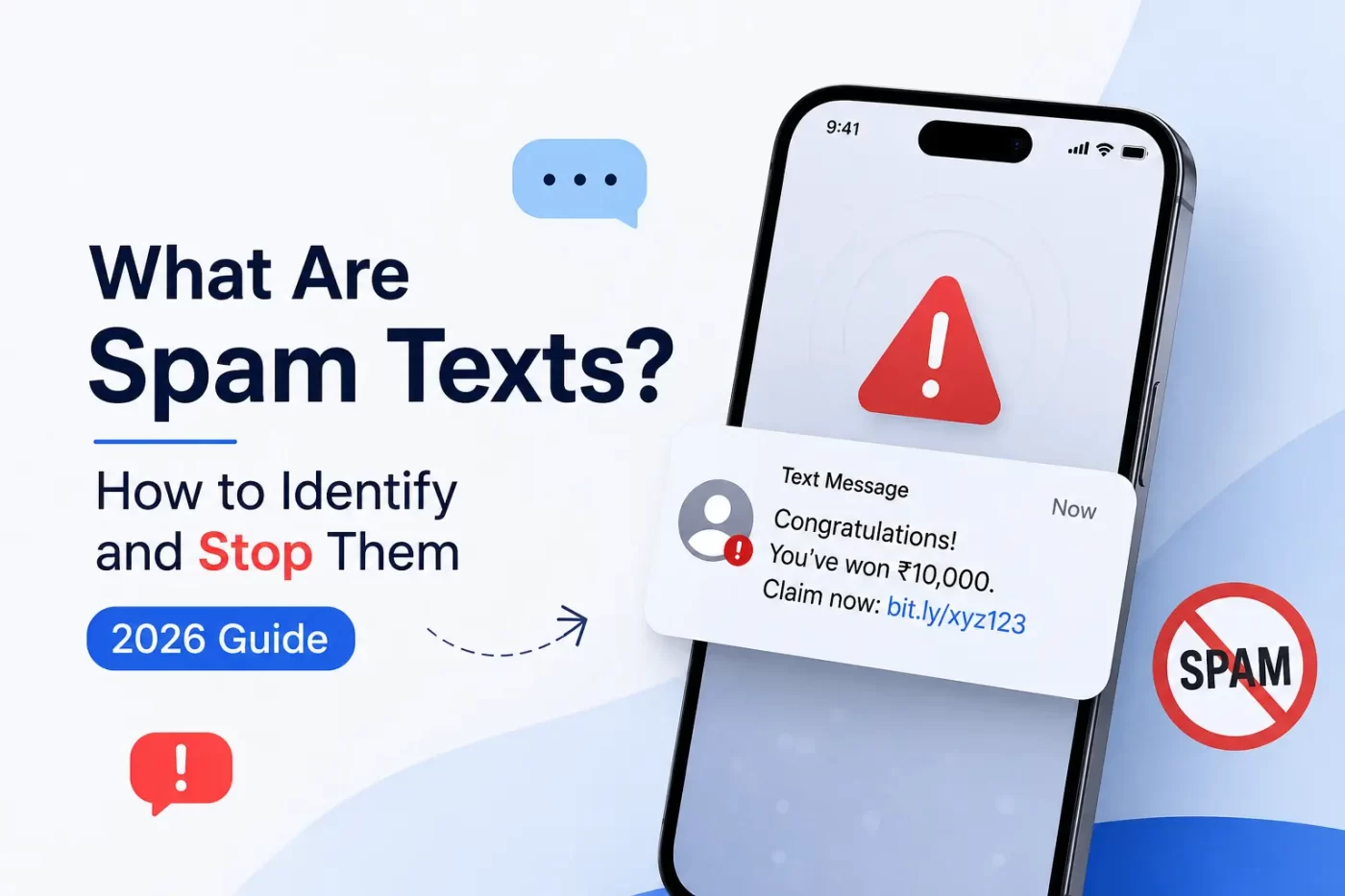

What Are Spam Texts, Exactly?
What are spam texts? Spam texts are unsolicited messages sent in bulk to your phone, usually from an email address, an online platform, or a spoofed number instead of a real person. They’re designed to sell something, trick you into clicking a link, or steal your personal details. Most spam texts arrive from automated systems, not other phones.
If you’ve noticed more of these landing in your inbox lately, you’re not imagining it. Text message spam has grown faster than email spam over the last few years, mainly because people trust texts more than emails — and scammers know it.
Not every unwanted text is dangerous. Some are just pushy marketing from a company you once gave your number to. Others are built specifically to steal your banking details, OTPs, or login credentials. The tricky part is telling the two apart before you tap anything.
Why Am I Getting So Many Spam Text Messages?
Spam text messages don’t show up randomly. Spammers run number-generation tools that guess valid combinations, or they buy leaked phone number lists from old data breaches. Once your number is on one of these lists, it usually gets resold to multiple spam operations.
If you’ve ever entered your number on a random contest page, an unfamiliar shopping site, or an app that asked for it without a clear reason, that’s a common entry point too.
How Do Spammers Get My Phone Number?
- Data breaches at companies that stored your number
- Random number generation (bots that guess in sequence)
- Public listings — old directories, social media bios, business cards
- Sketchy apps and games that harvest your contact list
- Sign-up forms on low-trust websites and giveaway pages
How to Identify Spam Text Messages
Most spam text messages follow a pattern once you know what to look for. They almost always want you to act fast, click something, or reply with personal information.
Common Signs of a Fake Text Message
- Urgent language — “Act now,” “Account suspended,” “Final notice”
- A generic greeting instead of your actual name
- A shortened or unfamiliar link (bit.ly, tinyurl, or random domains)
- Requests for OTP, PIN, card number, or bank login details
- Offers that sound too good — free prizes, huge cashback, surprise refunds
- Sent from a long number, email address, or “5000” style short code you don’t recognize
Spam Text vs Phishing Text — What’s the Difference?
All phishing texts are spam, but not all spam texts are phishing. A spam text might just be unwanted marketing with no real threat behind it. A phishing text — also called smishing — is built specifically to steal your data by pretending to be your bank, a courier company, or a government portal. Phishing texts are the ones that actually put your money and identity at risk.
Are Spam Texts Dangerous?
Yes, some spam texts are genuinely dangerous — not all of them, but enough that you shouldn’t ignore the risk. The dangerous ones are usually phishing attempts trying to steal your OTP, banking credentials, or personal identity details.
Here’s what a harmful spam text can lead to:
- Identity theft if you share personal details
- Financial loss if you enter card or banking information
- Malware installed on your phone through a malicious link
- Your number being flagged and resold to more spam networks after you reply
The safest habit is treating every unexpected text with a link or urgent request as suspicious until proven otherwise.
How to Stop Spam Texts on iPhone
If you’re wondering how to stop spam texts on iPhone, Apple gives you a few built-in tools before you need anything extra.
- Open the message, tap the sender’s info, and select Block this Caller
- Go to Settings > Messages > Filter Unknown Senders to sort unknown numbers into a separate tab automatically
- Report it directly — swipe on the message and tap Report Junk, which sends the text and sender info to your carrier
- Avoid clicking any link in the message before blocking, even to “unsubscribe”
How to Stop Spam Texts on Android
Stopping spam texts on Android works a little differently depending on your device, but the core steps are similar across most phones.
- Open the message thread and tap the three-dot menu
- Select Block & Report Spam
- Go to your Messages app settings and turn on Spam Protection, if it isn’t already active
- For Google Messages, enable Caller ID & Spam under settings to flag suspicious senders before you even open them
How to Block Spam Texts Without Losing Real Ones
Aggressive filtering can sometimes block texts you actually want — OTPs from your bank, delivery updates, or appointment reminders. A smarter approach is layered protection instead of blanket blocking:
- Use your phone’s built-in spam filter as the first layer
- Add a dedicated mobile security app as a second layer for smishing detection
- Never block your entire carrier short-code range, since real OTPs often come from similar formats
- Review your spam folder weekly instead of deleting it instantly, in case something legitimate lands there by mistake
How to Report Spam Texts in India
In India, spam texts fall under the Telecom Regulatory Authority of India’s (TRAI) regulations on unsolicited commercial communication. Here’s how to report one:
- Forward the spam text to 1909, which is TRAI’s dedicated short code for reporting unsolicited messages
- Register your number on the DND (Do Not Disturb) registry through your telecom operator’s app or by dialing 1909
- For scam or phishing texts specifically, file a complaint on the National Cyber Crime Reporting Portal (cybercrime.gov.in)
- Report the number to your carrier’s spam-reporting feature, available in Jio, Airtel, and Vi apps
Common India-specific spam texts to watch for include fake KYC update requests, electricity bill disconnection threats, parcel delivery fee scams, and fake job offer links — all built to create urgency and get you to click.
How SiyanoAV Helps You Stay Ahead of Spam Texts
Blocking spam texts manually works until a new number or link format slips through. SiyanoAV’s mobile and endpoint security tools add a layer that catches malicious links before you tap them, flags smishing attempts in real time, and keeps your device protected without slowing it down.
For IT admins managing devices across a school, college, or business, this matters even more — one employee or student clicking a phishing text can expose an entire network. SiyanoAV is built with OPSWAT Gold Anti-Malware Certification and AMTSO membership, so the detection engine behind these protections is independently tested and verified.
CTA button text: “Protect Your Devices with SiyanoAV“
- Spam texts are unsolicited bulk messages usually sent from email addresses or automated systems, not real phone numbers.
- Phishing texts (smishing) are the most dangerous type, designed to steal OTPs, banking details, or personal identity data.
- iPhone and Android both have built-in spam-filtering and reporting tools you can enable for free.
- In India, spam texts can be reported to TRAI via 1909 or the National Cyber Crime Reporting Portal.
- Layered protection — phone filters plus a dedicated security app — blocks more spam without losing real messages.
Spam texts are unwanted, unsolicited messages sent in bulk, usually through email-to-SMS gateways or automated bot networks rather than real phone numbers. They range from harmless marketing to dangerous phishing attempts known as smishing, which try to steal OTPs, banking credentials, or personal information. Common warning signs include urgent language, generic greetings, shortened links, and requests for sensitive data. Both iPhone and Android offer built-in tools to filter and report spam texts, and in India, unsolicited messages can be reported to TRAI through the 1909 short code or the National Cyber Crime Reporting Portal.
Structured Data Table — Spam Text Types Compared
| Type | Common Source | Main Goal | Risk Level | How to Handle It |
|---|---|---|---|---|
| Marketing Spam | Businesses, old sign-up forms | Sell products or services | Low | Reply STOP or block sender |
| Robotext | Automated bot networks | Bulk unsolicited messaging | Low-Medium | Block and report to carrier |
| Smishing (Phishing) | Fake bank, courier, or government texts | Steal OTP, login, or banking data | High | Never click; report to 1909 or cybercrime.gov.in |
| Prize/Lottery Scam | Random numbers, spoofed senders | Trick you into paying a “fee” | High | Delete, do not respond, block |
| KYC/Account Update Scam | Fake telecom or bank messages | Steal personal identity documents | High | Verify directly with your bank; never click the link |

Leave a Comment