


What Is Session Hijacking?
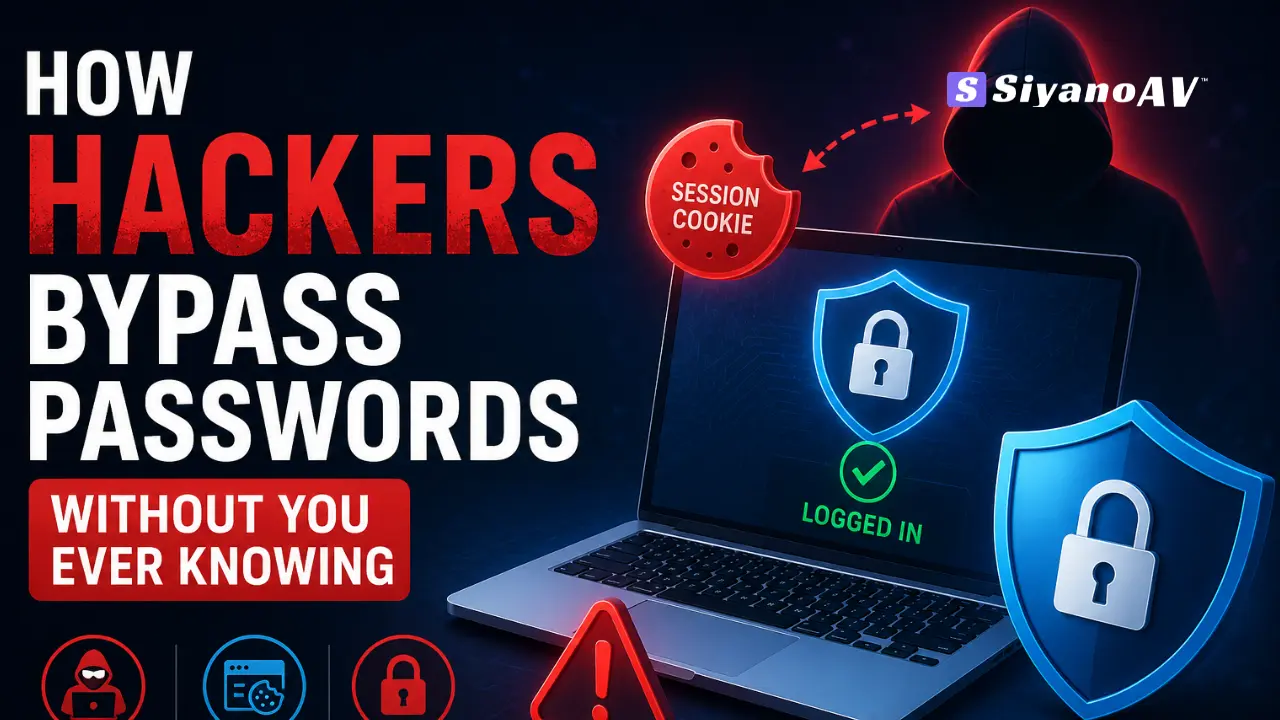
Session hijacking is when a hacker steals the active login token your browser holds after you sign in, instead of your password. With that token, they open your account directly — bypassing your password and MFA completely, since the browser already looks logged in.
Most people picture password attacks as guessing games. Reality moved on. Today, the fastest way for a hacker to get into your Gmail, your banking dashboard, or your company’s admin panel is how hackers bypass passwords altogether — through the tiny session cookie sitting in your browser right now, not your password at all.
This shift matters for every Windows user, IT admin, and business owner in India. You can have a strong password and MFA turned on, and still lose your account in seconds. Here’s exactly how it happens — and what actually stops it.
How Hackers Bypass Passwords Using Session Hijacking
Once you log into a website, your browser gets a session cookie. That cookie tells the server “this person already proved who they are — let them in.” Hackers don’t need your password if they can copy that cookie.
Two techniques make this possible at scale right now.
Adversary-in-the-Middle (AiTM) Phishing
You click a link that looks exactly like your company’s login page. It isn’t. It’s a proxy sitting between you and the real site. You type your password, you approve the MFA prompt — and the proxy quietly copies your finished session cookie the moment you’re logged in.
Your MFA worked perfectly. It just didn’t matter, because the attacker grabbed the session that came after it.
Pass-the-Cookie Attacks
Here, the hacker doesn’t need you to do anything live. Malware already sitting on your device exports saved cookies from your browser and hands them to the attacker, who loads them into their own browser and walks straight into your account.
What Is Cookie Theft and How Does It Work
Cookie theft is the act of copying that saved session file — from your browser’s storage, from memory, or from malware logs — without ever touching your password. Infostealer malware is built specifically for this job.
Once a hacker has your cookie, they can often use it from a completely different device or country, and many websites won’t flag it right away, because the session token itself hasn’t expired.
How Hackers Bypass MFA Without Your Password
MFA is supposed to be the safety net. Attackers found two reliable ways around it.
MFA Fatigue Attacks
The hacker already has your password from a breach or phishing kit. They trigger MFA push notifications again and again, late at night, until you approve one out of frustration — or by mistake.
Session Token Theft
This is the quieter, more dangerous route. As covered above, once your session token is stolen, MFA never gets asked again for that session. The attacker rides on a login you already completed.
Infostealer Malware: The Real Engine Behind Session Theft
Almost every large-scale session hijacking case starts with infostealer malware quietly installed through a cracked software download, a fake invoice attachment, or a malicious browser extension.
RedLine, Lumma and StealC Malware Explained
These three families dominate India’s infostealer traffic right now. They scan your browser for saved passwords, autofill data, crypto wallet files, and session cookies, then upload everything to the attacker’s server in one shot — usually within seconds of infection.
Stolen data from these tools is what fills dark web credential markets, where full “session packages” — cookies included — get resold for a few dollars each.
Signs Your Session Has Been Hijacked
- You’re logged out of an account you never signed out of
- Login alerts arrive from a device, city, or country you don’t recognize
- Sent emails or messages appear that you didn’t write
- Security or recovery settings change without your action
- Your antivirus flags an infostealer or browser-data-access attempt
Passwordless Attacks in 2026 — Why Passwords Alone Aren’t Enough
2026 has made one thing clear: passwordless attacks are the norm, not the exception. Passkeys and device-bound session credentials are gaining ground precisely because they tie your login to your physical device — a stolen cookie from a passkey session is far harder to reuse elsewhere.
Until passkeys are standard everywhere you log in, the gap is covered by real-time endpoint protection that catches the malware before it ever reaches your session data.
How to Protect Against Session Cookie Theft
- Run real-time antivirus that catches infostealers before they read browser data
- Turn on device-bound sessions where your bank or email provider supports it
- Log out of sessions on shared or public computers every time
- Avoid cracked software and unofficial browser extensions — the top infostealer entry points
- Set shorter session-expiry windows for admin and finance accounts
- Switch to passkeys wherever the option is available
Best Antivirus for Infostealer Protection
SiyanoAV’s real-time engine is built to catch infostealer behavior — unauthorized browser data access, credential file scanning, and unusual outbound uploads — at the moment it happens, not after your session is already gone.
It’s OPSWAT certified, AMTSO tested, and made in India, with editions for home users, small businesses, and a Corporate/Endpoint Edition built for schools, colleges, and IT resellers managing many devices at once.
Structured Data Table — Attack Type Comparison
| Attack Type | How It Works | Needs Your Password? | Detection Difficulty | Best Defense |
| Credential Stuffing | Reuses leaked username/password pairs from old breaches | Yes | Easy to Medium | Unique passwords + password manager |
| Traditional Phishing | Fake login page tricks you into typing your credentials | Yes | Medium | Email filtering + staff awareness training |
| AiTM Phishing | Fake proxy site captures your login and your live session cookie | Yes, once | Hard | Passkeys + real-time threat detection |
| Session Hijacking (Pass-the-Cookie) | Steals an active session token straight from your browser | No | Very Hard | EDR + session monitoring + antivirus |
| Infostealer Malware | Silently harvests saved passwords, cookies and tokens from your device | No | Very Hard | Real-time antivirus + endpoint protection |
FAQs
Q: Can hackers get into your account without your password?
A: Yes. If malware or a phishing kit steals your active session cookie, hackers can open your account directly in a browser — no password or OTP needed, because your session already shows as “logged in.”
Q: What is session hijacking in simple terms?
A: Session hijacking is when someone takes over your already-logged-in session by stealing the small file (cookie or token) your browser uses to prove you’re signed in, instead of stealing your password.
Q: Is SiyanoAV good for stopping infostealer malware in India?
A: Yes. SiyanoAV is OPSWAT certified and AMTSO tested, and its real-time engine is built to catch infostealers like RedLine, Lumma and StealC before they can read your browser’s saved passwords or cookies.
Q: How much does SiyanoAV Internet Security cost in India?
A: SiyanoAV Internet Security is priced for Indian homes and small businesses, with annual plans available on siyanoav.in and on Amazon India. Check the current price on the pricing page, as plans are updated periodically.
Q: Does antivirus alone stop session cookie theft?
A: Not fully on its own. Antivirus stops the malware that steals cookies in the first place, but you should pair it with device-bound sessions, passkeys, and logging out of unused sessions for full protection.
Q: What happens if I ignore a session hijacking warning?
A: If you ignore it, the attacker keeps access to your account for as long as the stolen session stays valid — sometimes days — and can quietly read emails, move money, or lock you out.
Q: How to download and install SiyanoAV on Windows?
A: Download the installer from siyanoav.in, run the .exe file, follow the on-screen setup, and activate with your license key. Full protection, including real-time scanning, starts working immediately after activation.
Q: Does SiyanoAV offer protection for schools and IT resellers?
A: Yes. SiyanoAV has a Corporate/Endpoint Edition built for schools, colleges and IT resellers, with centralized management so admins can monitor every device’s protection status from one dashboard.

Leave a Comment