

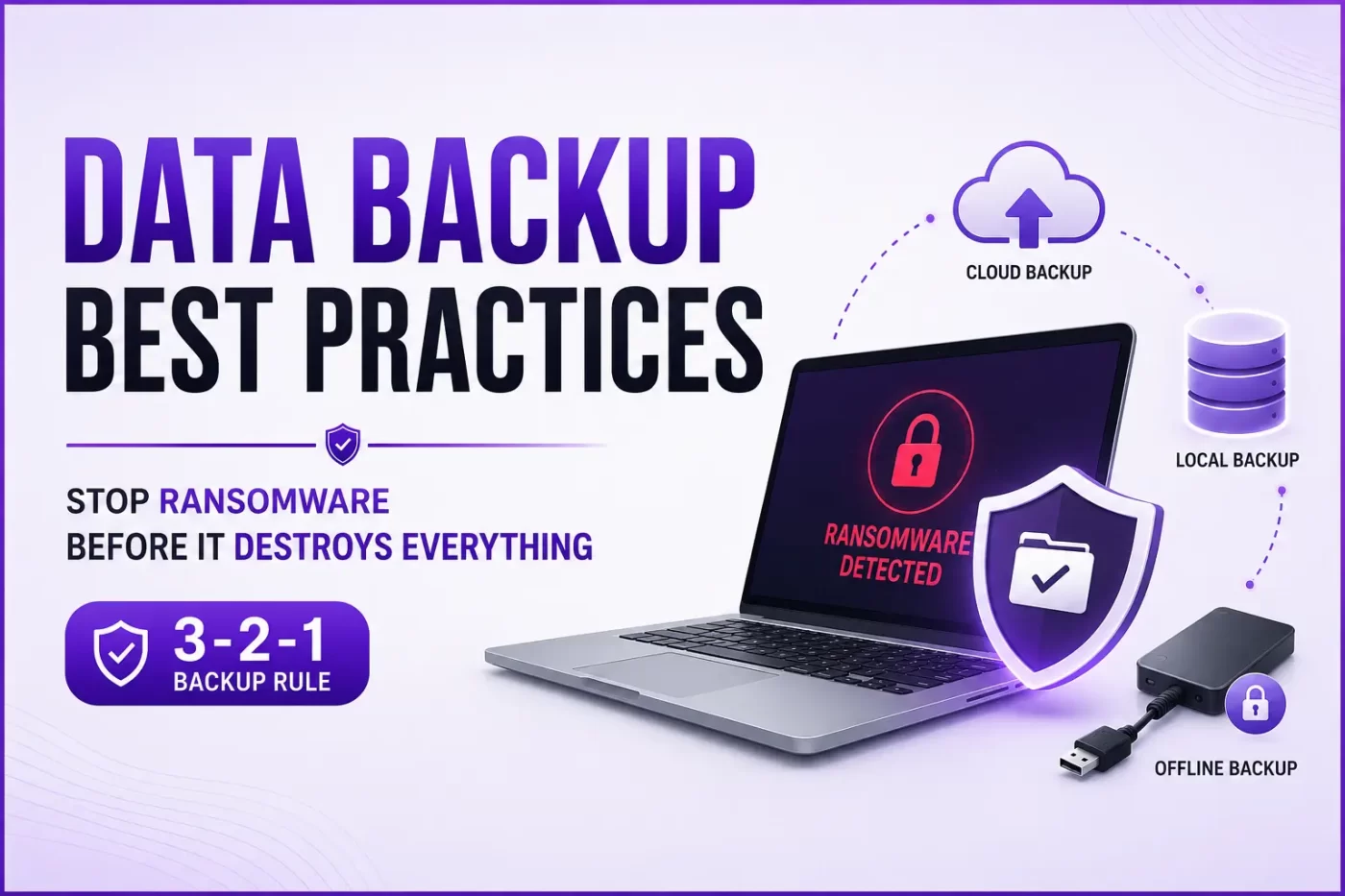

What happens to backups during a ransomware attack? Honestly, if you are just copying files to an external hard drive left plugged into your laptop, they get encrypted right along with everything else.
Ransomware code is smart now. It actively hunts down your connected backup drives and cloud sync folders first. It destroys your safety net before you even realize you are infected.
That is why you need to implement actual data backup best practices before a crisis hits. Whether you are a business owner trying to protect customer records, an IT professional managing a school network, or a parent saving family photos, relying on luck is a terrible strategy.
Why Standard Backups Fail (And the Data Backup Best Practices That Actually Work)
That’s where most people get it wrong. Most people assume that just because their files are syncing to a cloud folder, they’re magically bulletproof against cyberattacks.
It isn’t true at all. If ransomware hits your local machine, that corrupted, encrypted file immediately syncs to your cloud account. Boom. Your cloud backup is now useless too.
To build a genuinely ransomware proof backup system, your strategy has to be multi-layered. You cannot just rely on a single software or an old USB drive.
The 5 Core Data Backup Best Practices You Need Now
Let’s be real for a second. Building a backup strategy for ransomware protection does not have to cost millions, but it does require discipline.
1. Follow the 3-2-1 Rule strictly
Honestly, if you talk to any IT veteran, they’ll tell you this setup is pretty much the holy grail for beating ransomware. You keep three copies of your data. Two are on different local media (like an internal drive and a detached external drive), and one copy goes completely offsite.
2. Implement an Air-Gapped or Offline Backup
If a backup is physically or logically disconnected from your network, ransomware cannot touch it. An offline backup for ransomware defense means pulling the plug on your external drive when the backup finishes. If it isn’t connected, it can’t be hacked.
3. Move to Immutable Storage
An immutable backup is a game-changer. This is a setting offered by advanced cloud backup ransomware protection services where data cannot be deleted, modified, or overwritten for a set period. Even if a hacker gets your admin credentials, they can’t wipe your data.
4. Test Your Ransomware Recovery Speed
The truth is, having a backup file doesn’t mean much if you haven’t actually checked to see if you can pull data back from it during a live emergency. Do not just schedule backups and walk away. Run a live test once a month. Make sure you know how to recover data after ransomware without paying a single rupee.
5. Protect Your Endpoints
Backups are your last line of defense, but you should stop the attack from starting. Using a robust antivirus with ransomware protection stops the malicious encryption script before it touches your files.
The Indian Context: Why SMBs are Targets
Here is the thing. Indian small businesses are currently facing a massive wave of cyber attacks. Reports from agencies like CERT-In show that Asia-Pacific is heavily targeted, and nearly 88% of SMB breaches involved ransomware at some point.
If you are looking for a reliable ransomware proof backup solution for SMBs in India, you need tools tailored for local businesses. Many schools, colleges, and computer resellers across India rely on simple manual copies. That is a recipe for disaster.
Small business data backup tips to avoid ransomware India focus on automation. You cannot rely on an employee remembering to run a backup every Friday. Human error will eventually catch up to you.
That is why using an integrated setup like SiyanoAV Total Security makes sense. It acts as a real-time ransomware shield while ensuring your active files aren’t manipulated by unauthorized background processes.
Frequently Asked Questions (FAQ)
What is the 3-2-1 backup rule for ransomware?
The 3-2-1 backup rule means maintaining 3 total copies of your data, stored on 2 different types of media, with 1 copy kept entirely offsite (like in a secure cloud). For ransomware protection, that offsite copy should ideally be disconnected or immutable so it cannot be altered automatically.
How to protect backups from ransomware?
To protect your backups, use an air-gapped backup system or an encrypted backup solution that requires separate multi-factor authentication. Never leave your primary backup drive permanently connected to your main computer or network switch.
Can ransomware encrypt cloud backups?
Yes. If your cloud backup functions as a live network share or a real-time synced folder (like basic Dropbox or OneDrive setups without versioning), the ransomware will encrypt the local file, and the cloud provider will instantly sync the encrypted version, destroying your backup.
Does antivirus protect against ransomware data loss?
Yes, a premium antivirus with ransomware protection monitors unusual file-modification behavior. It blocks unauthorized programs from altering your documents while maintaining temporary safe copies to prevent immediate data loss.
Summary: Don’t Wait for the Ransom Note
Now let’s be real. No one thinks they will get hit until they see that terrifying red text screen demanding Bitcoin.
Adhering to these data backup best practices is the only way to ensure your business survives an attack. Don’t cheap out on your backup and recovery best practices. Set up your offline storage, automate your cloud copies, and ensure your devices are protected by a solid defense layer.
For more details on setting up an affordable, bulletproof cyber defense strategy, check out the official guidance on CERT-In Cyber Security Guidelines or explore SiyanoAV features to secure your Windows systems today.



Leave a Comment