



The SiyanoAV User Portal is designed to give you full control and visibility over your account, subscriptions, and support requests—all in one place. Whether you’re a new user logging in for the first time or an experienced customer looking to optimize your workflow, this guide will walk you through how to use the portal effectively.
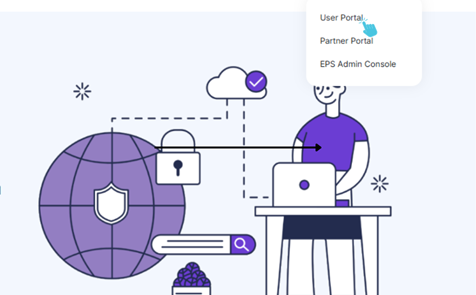
1. Logging In
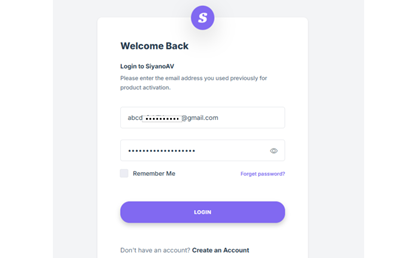
- Open your browser and go to the SiyanoAV User Portal login page.
- Enter your username/email and password.
- If it’s your first time, check your email for your welcome link and follow the prompts to set up your account.
- Forgot your password? Simply click “Forgot Password” to reset it securely.
Tip: Bookmark the login page for quick access.
2. Navigating the Dashboard
Once logged in, you’ll land on the dashboard. Here, you’ll see a summary of your account including:
- Active Services – Quick overview of your current plans.
- Billing Info – Recent invoices, payments, and upcoming renewals.
- Support Updates – Status of any open tickets.
- Notifications – Important updates or alerts.
3. Managing Your Services
Under the “My Services” tab, you can:
- View all active subscriptions.
- Upgrade or downgrade your plan.
- Manage add-ons and integrations.
- Access download links or license keys (if applicable).
4. Billing and Payments
The “Billing” section helps you stay on top of your account:
- View and download invoices.
- Update your payment method.
- Set up auto-renewal preferences.
- Track transaction history.
5. Support & Help Desk
Need assistance? Head over to the Support tab:
- Create a Ticket – Report issues or request help.
- Track Progress – Monitor the status of your ticket.
- Knowledge Base – Browse FAQs, guides, and troubleshooting steps.
6. Profile & Settings
Finally, in your profile settings, you can:
- Update personal details (name, email, contact number).
- Change your password.
- Set communication preferences.

Final Thoughts
The SiyanoAV User Portal is your central hub for managing everything related to your account—services, billing, and support—all streamlined for convenience. By taking a few minutes to familiarize yourself with each section, you’ll save time and get the most out of your SiyanoAV experience.
#siyanoavsecurity #siyanoav #cybernews #cybersecurity #sasproduct #digitslsecurity #ransomewareprotection #antivirussoftware




I like this weblog so much, saved to favorites. “To hold a pen is to be at war.” by Francois Marie Arouet Voltaire.