

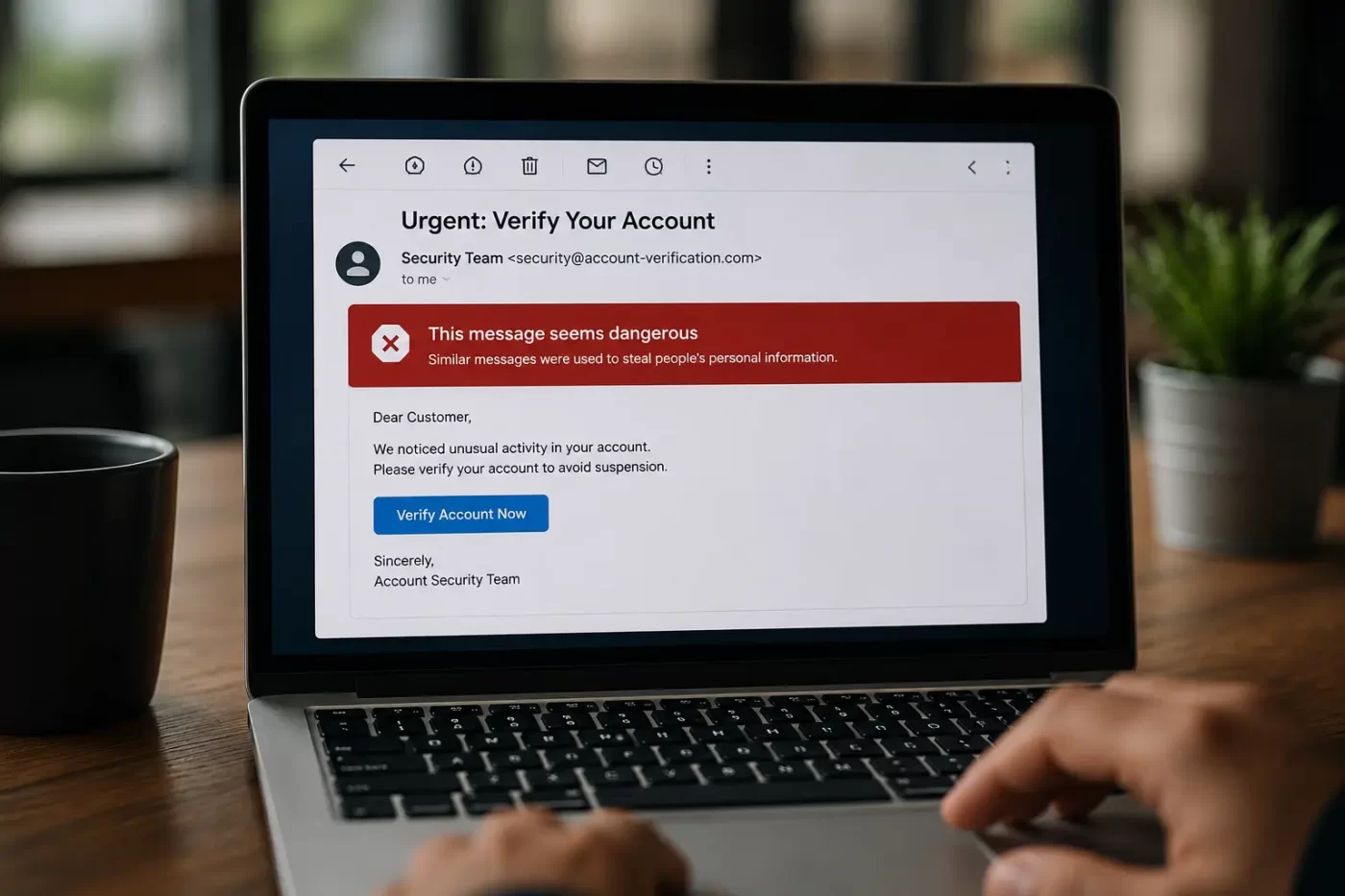

Most people think they know what phishing is — until it happens to them. Here’s the blunt truth: phishing is the easiest way for a hacker to walk straight into your inbox, your bank account, or your company’s network, without writing a single line of malicious code. One convincing phishing email, one tired employee clicking “Reset Password” at 11 PM, and the damage is already done. If you’ve ever wondered what is phishing, why it works so well, and how to actually spot one before it ruins your week, this is for you.
What Is Phishing, Really?
Let’s get the textbook definition out of the way fast. Phishing is when someone pretends to be a person or company you trust — your bank, Amazon, your own IT department — to trick you into handing over passwords, OTPs, or money. That’s it, that’s the definition. But here’s what most articles skip: phishing isn’t really a tech problem. It’s a psychology problem. Attackers aren’t hacking your firewall. They’re hacking your attention span at the worst possible moment — right before a meeting, right after a long shift, right when you’re half-asleep scrolling your phone. A phishing email doesn’t need to be technically clever. It just needs to catch you off guard.
Types of Phishing Attacks (It’s Not Just Email Anymore)
When people hear “phishing,” they picture a sketchy email. Fair enough — email is still the biggest channel by far. But the types of phishing attacks have multiplied fast:
- Spear phishing — targeted at one specific person using info scraped from LinkedIn or a company website.
- Smishing — phishing through SMS, usually fake delivery updates or bank alerts.
- Vishing — a phone call, sometimes using AI-cloned voices that sound exactly like your boss.
- Quishing — a malicious QR code, increasingly common alongside UPI-style payment scams in India.
Honestly, the QR code one catches even careful people off guard. We’ve trained ourselves to be suspicious of links. Not so much of little black-and-white squares.
How to Identify a Phishing Email — The Real Checklist
Forget the old advice about bad spelling giving it away. That trick is mostly dead now. AI tools write flawless, grammatically perfect phishing emails in minutes, so typos aren’t a reliable tell anymore. Here’s what actually still works:
- A mismatched sender domain, something like “amazon-support.in” instead of “amazon.in.”
- Urgency that feels manufactured — “act within 2 hours or your account gets suspended.”
- A link that doesn’t match the text hiding it. Hover before you click. Always.
- Requests for OTPs, passwords, or payment details. No legitimate company asks for these by email.
- A generic greeting like “Dear Customer” on something that claims to be personal.
These are the real signs of phishing email content you should train yourself, and your team, to notice. One red flag alone might mean nothing. Two or more together? Stop and verify before you do anything else.
Phishing vs Spoofing — Not the Same Thing
People mix these up all the time. Spoofing is the technique: faking a sender address or caller ID. Phishing is the goal: tricking you into taking an action you shouldn’t. Think of spoofing as the disguise and phishing as the actual con. A spoofed email is the costume; the phishing attempt is the heist itself. Most phishing emails rely on spoofing to look legitimate, but not every spoofed message is phishing.
How to Avoid Phishing Emails Without Becoming Paranoid
You don’t need to distrust every single email landing in your inbox. That’s exhausting, and frankly unrealistic. What actually helps:
- Verify independently. If your “bank” emails you, open your banking app separately instead of clicking the link.
- Use email filtering that catches spoofed domains before they ever reach you.
- Turn on two-factor authentication everywhere. It won’t stop phishing, but it stops the damage that follows.
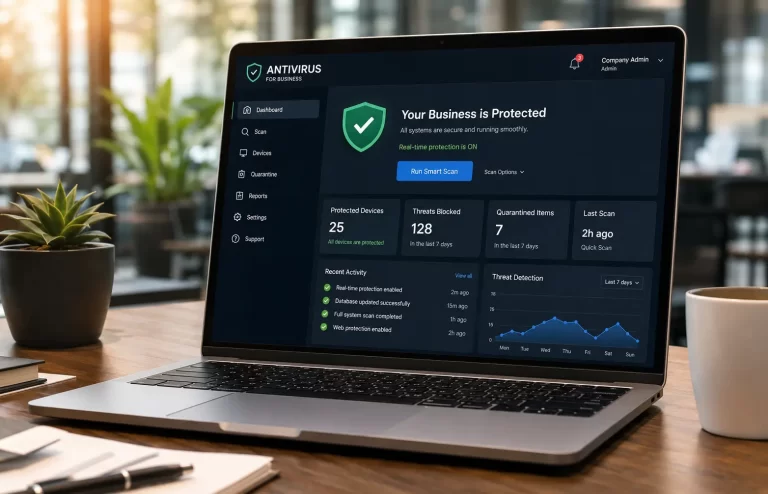
- Keep antivirus and anti-phishing protection updated and running, not just installed once and forgotten.
That last point matters more than people give it credit for. A lot of phishing emails carry malicious attachments or links to fake login pages, and real-time protection catches these before you even get the chance to second-guess yourself.
Clicked a Phishing Link? Here’s What to Do Right Now
Don’t panic, but don’t sit on it either. Disconnect from the internet if you can. Change your passwords immediately, starting with email and banking. Run a full antivirus scan. If money or OTPs were involved, call your bank’s fraud line directly, never a number taken from the email itself. And if you’re in India, report it to CERT-In or file a complaint at cybercrime.gov.in. Reporting a phishing email in India takes about ten minutes and genuinely helps flag the source for everyone else.
Phishing Isn’t Going Away — But You Can Stay Ahead of It
Here’s the thing — phishing isn’t going anywhere. If anything, AI has made phishing emails more convincing, not less, and recent attack trends already show even experienced professionals getting caught off guard. The good news is you don’t need to become a cybersecurity expert to stay safe. You need good habits, a healthy bit of suspicion, and a security layer that catches what your eyes miss. That’s really what understanding what is phishing comes down to: knowing enough to pause before you click. SiyanoAV’s real-time email and web protection is built to catch exactly these threats before they ever reach your inbox.
Leave a Comment